To search
Softonic Rating:
Very good810
License:
Free
Added:
August 24, 2007
Publisher:
Website
File size:
3.0 MB
Downloads:
111
Elena Santos

“Control active processes and avoid CPU abuse”

by Elena Santos

Multitasking enables you to open many applications simultaneously, although this usually results in many processes hogging the CPU. Sometimes a single active process takes up so many resources that the whole system becomes unstable and may end up freezing.

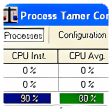
You can use Process Tamer to prevent these situations. It's a small tool that sits unobtrusively in Windows system tray and controls all active processes. As soon as any of them goes beyond the limits you set in the program's configuration settings, Process Tamer will lower its priority and therefore get the situation back to normal.

The program's options enable you to set the threshold of reaction, which is based only on CPU activity (no RAM memory, for example). You can also set rules and filters applied to specific applications.


Languages:

English

OS requirements for Process Tamer:

  • OS: Win98/98SE/Me/2000/XP
Did you like this review?
8 of 10 users liked it (80%)

Featured program

Softonic gives special recognition to software of exceptionally high quality. More information

From the publisher of Process Tamer

Process Tamer is a tiny and super efficient utility that runs in your system tray and constantly monitors the cpu usage of other processes. When it sees a process that is overloading your cpu, it reduces the priority of that process temporarily, until its cpu usage returns to a reasonable level.

There are many times when a process will hog your cpu, such as when converting audio/video files, or working with compressed archives. Because these processes completely consume the cpu, your system becomes sluggish to respond and using the computer for other tasks becomes impossible while these processes are running.

Process Tamer solves this problem by identifying such these degenerate conditions and temporarily reducing the priority of the offending processes in order to allow your system to respond to other requests. Stop being a victim to an overloaded cpu - let Process Tamer keep your system responsive no matter what you're doing.

Process Tamer options

Process Tamer Options

Reviews for Process Tamer in other languages

Softonic Rating:Very good
User Rating
Your opinion is important!

Download stats

Are you the developer of Process Tamer?

If your program has received a Softonic rating, feel free to use the following award badge on your site or as part of any other promotional feature you may be putting together.

Process Tamer Softonic Rating

Click on the above text field to copy the necessary HTML to your clipboard and then paste it to your website. It will display your program's Softonic Rating and will link to your program page.

Any queries? Contact us if you want more info.

Close